Fast Track AI
“It’s not a module or a feature; it’s a platform. And it’s the industry’s first natural language CRM” — Simon Lidzén, CEO, quoted fom [iGaming Future](https://igamingfuture.com/meet-the-first-ai-crm-built-for-igaming/)
From 200+ option chaos to intelligent progressive disclosure


Fast Track AI's iGaming CRM processes millions in daily transactions. Our data selection interface had become a bottleneck that was actively hurting both user productivity and data accuracy. With over 200 data fields scattered across an alphabetical dropdown, users spent too much time hunting for their metrics. In iGaming, second-guessing costs money.
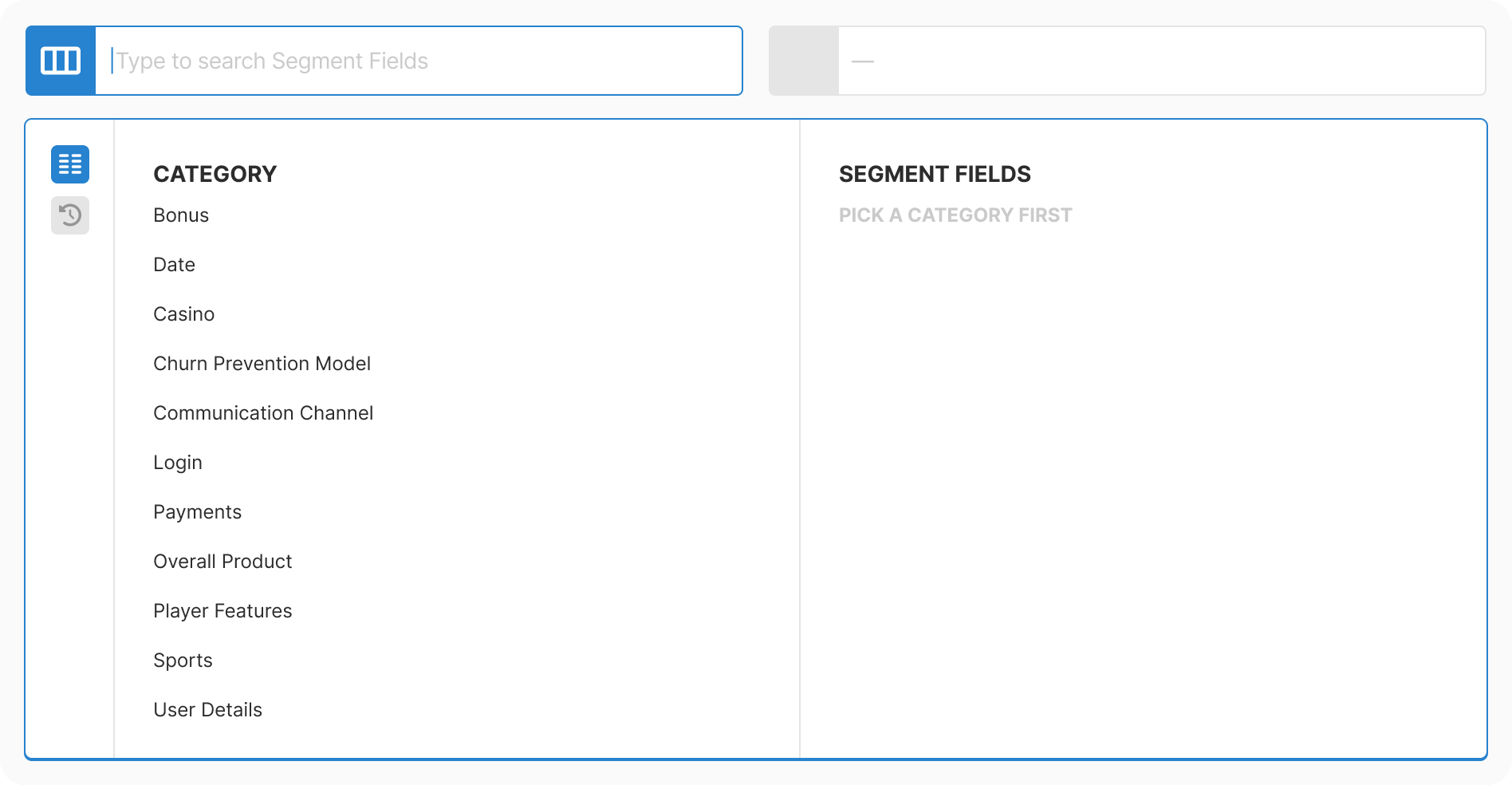
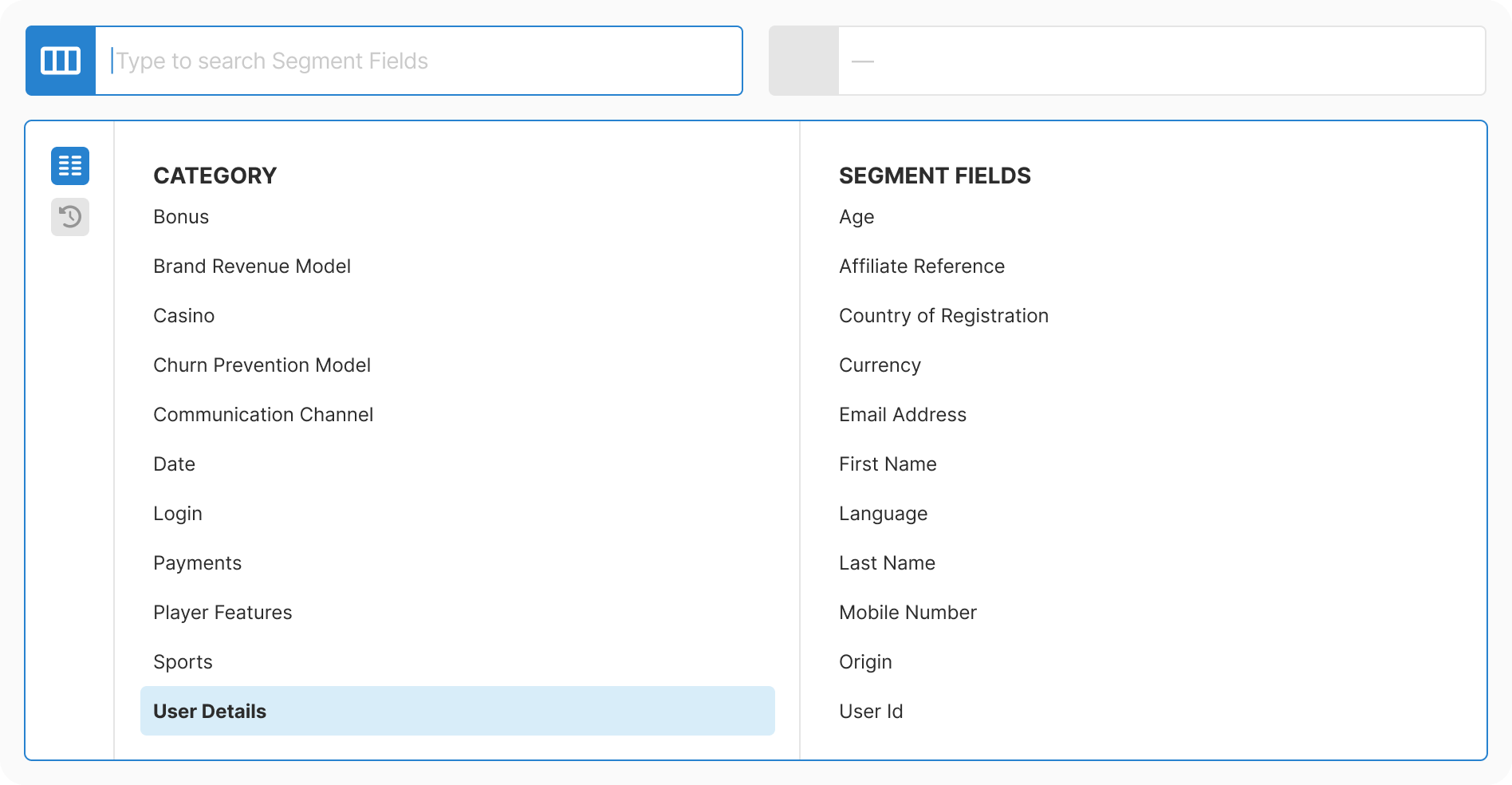
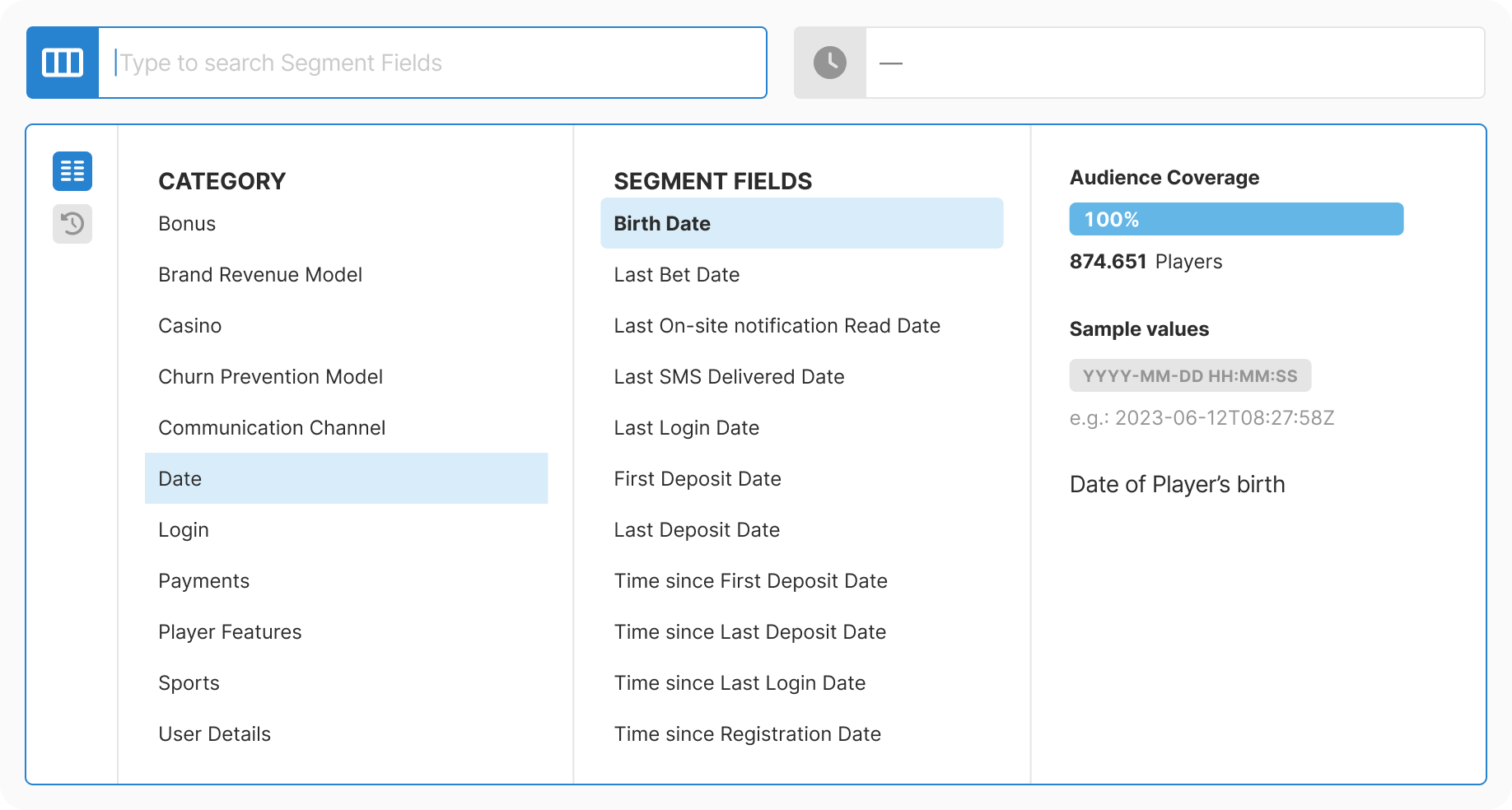
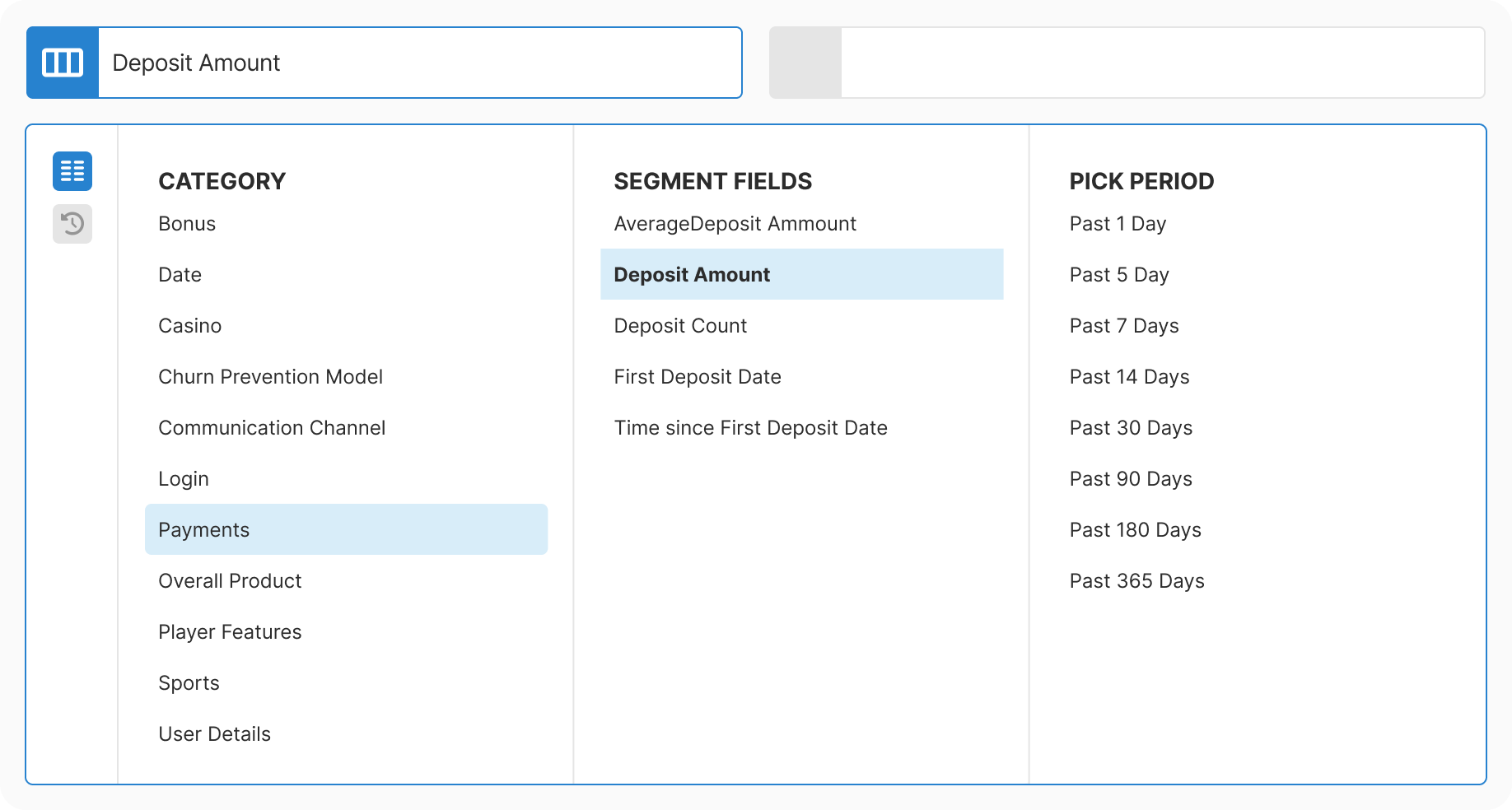
Decision: Three-step flow: category, then field, then values
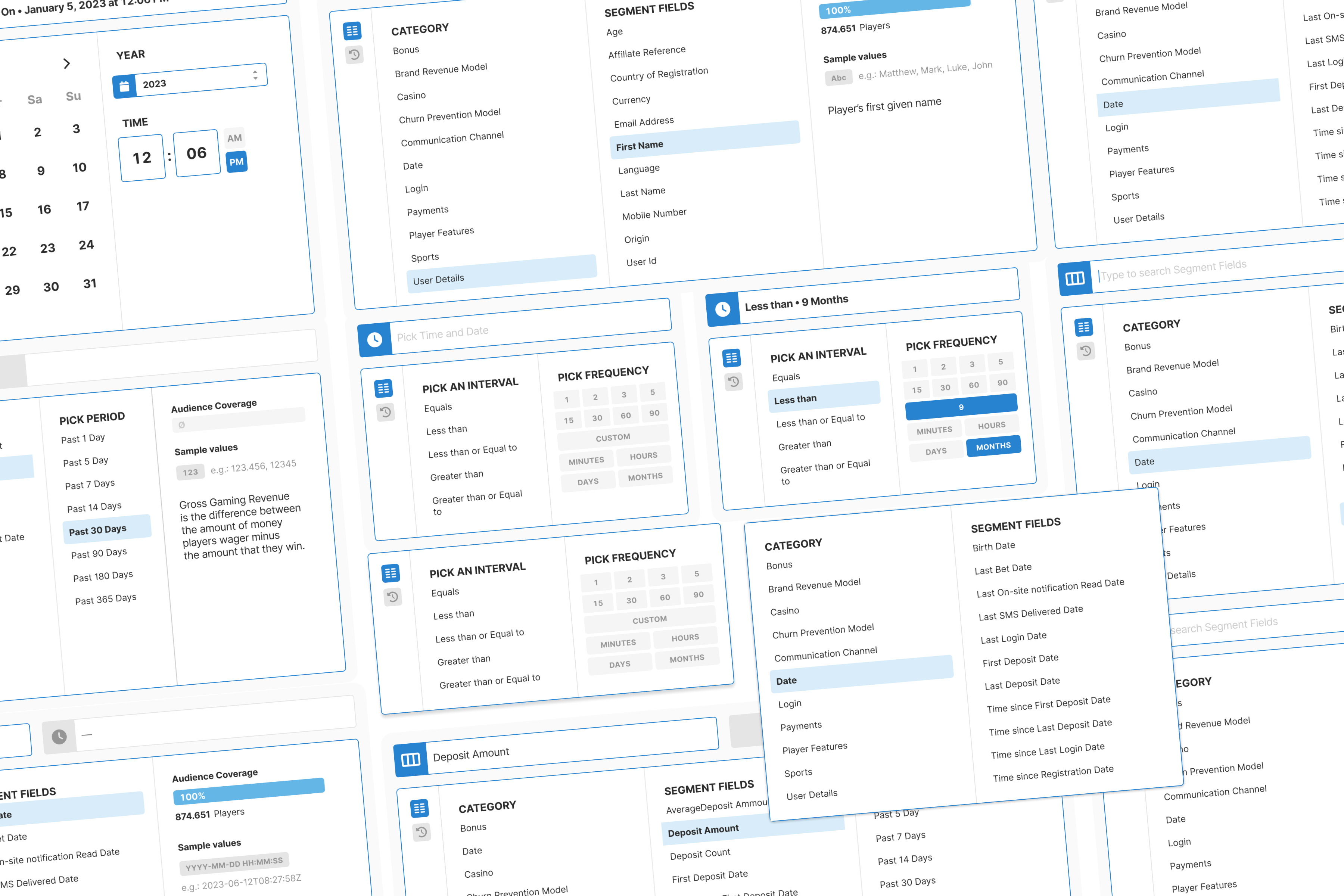
Rationale: Operators told us they do not always remember exact field names. They want to browse. By breaking the selection into logical steps, users could navigate by intent rather than needing to recall specific terminology. This mirrors natural decision-making: broad to specific.
Result: The interface teaches as you use it. Users discovered fields they didn't know existed, which led to better segments.
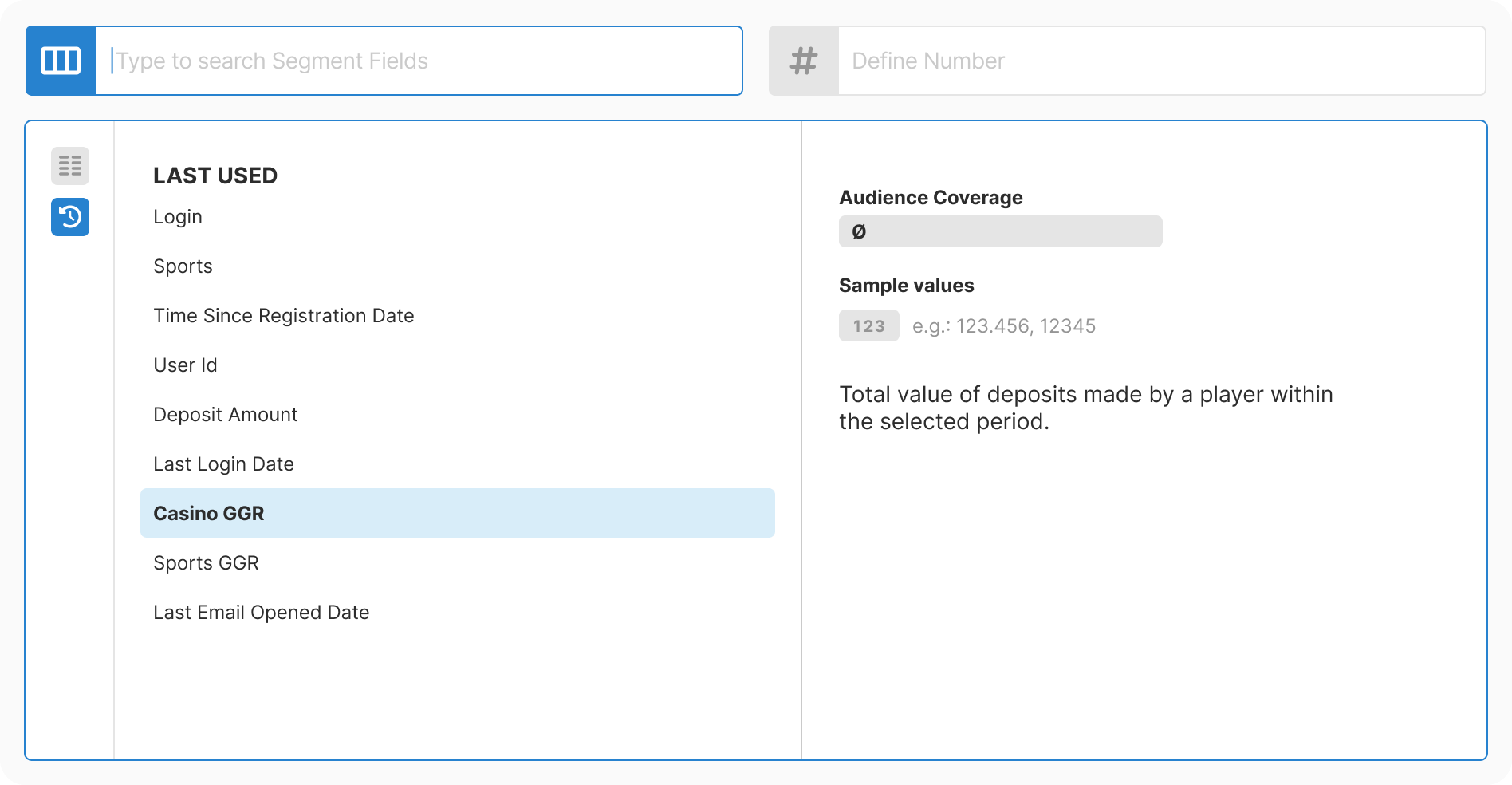
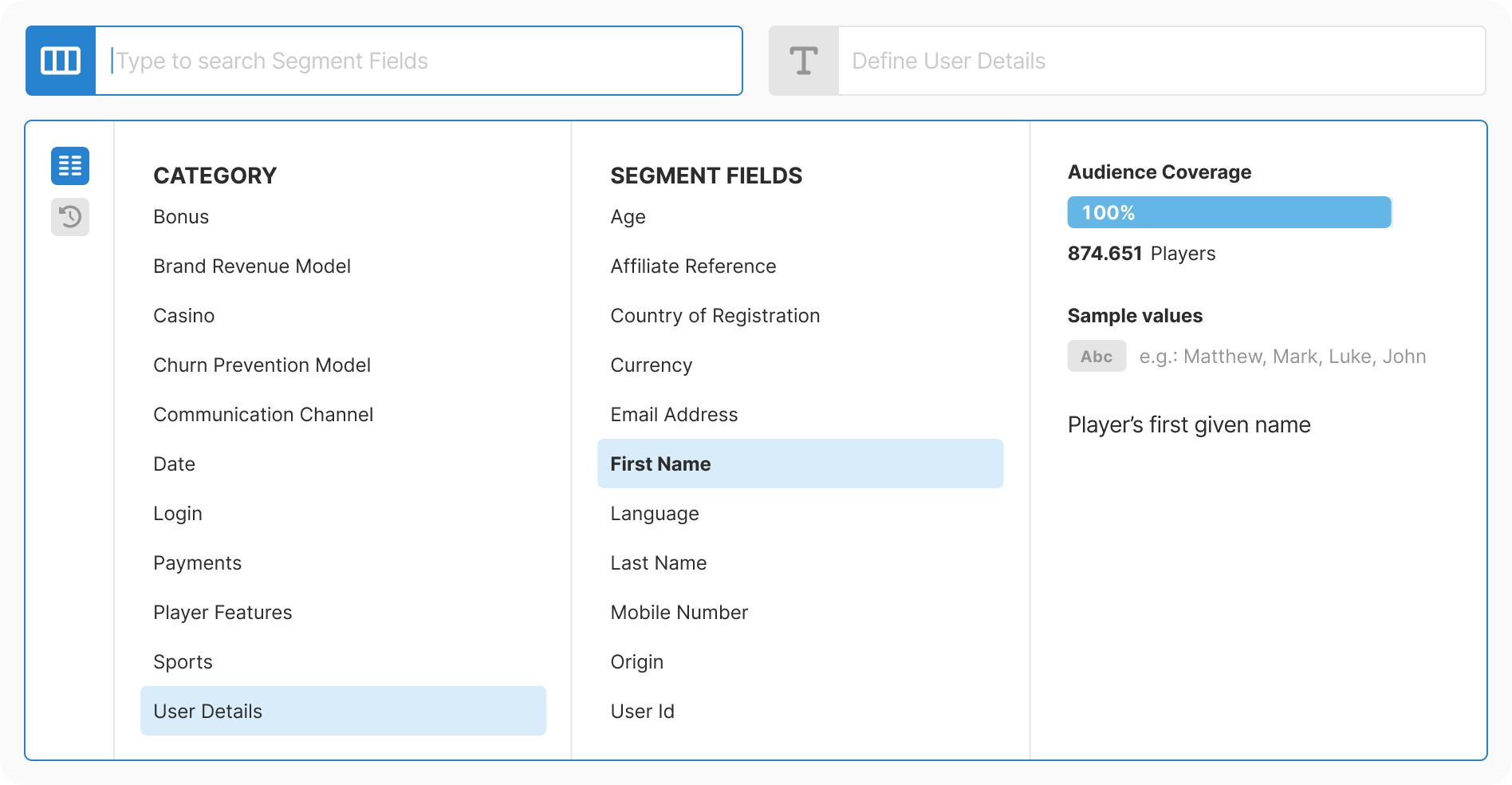
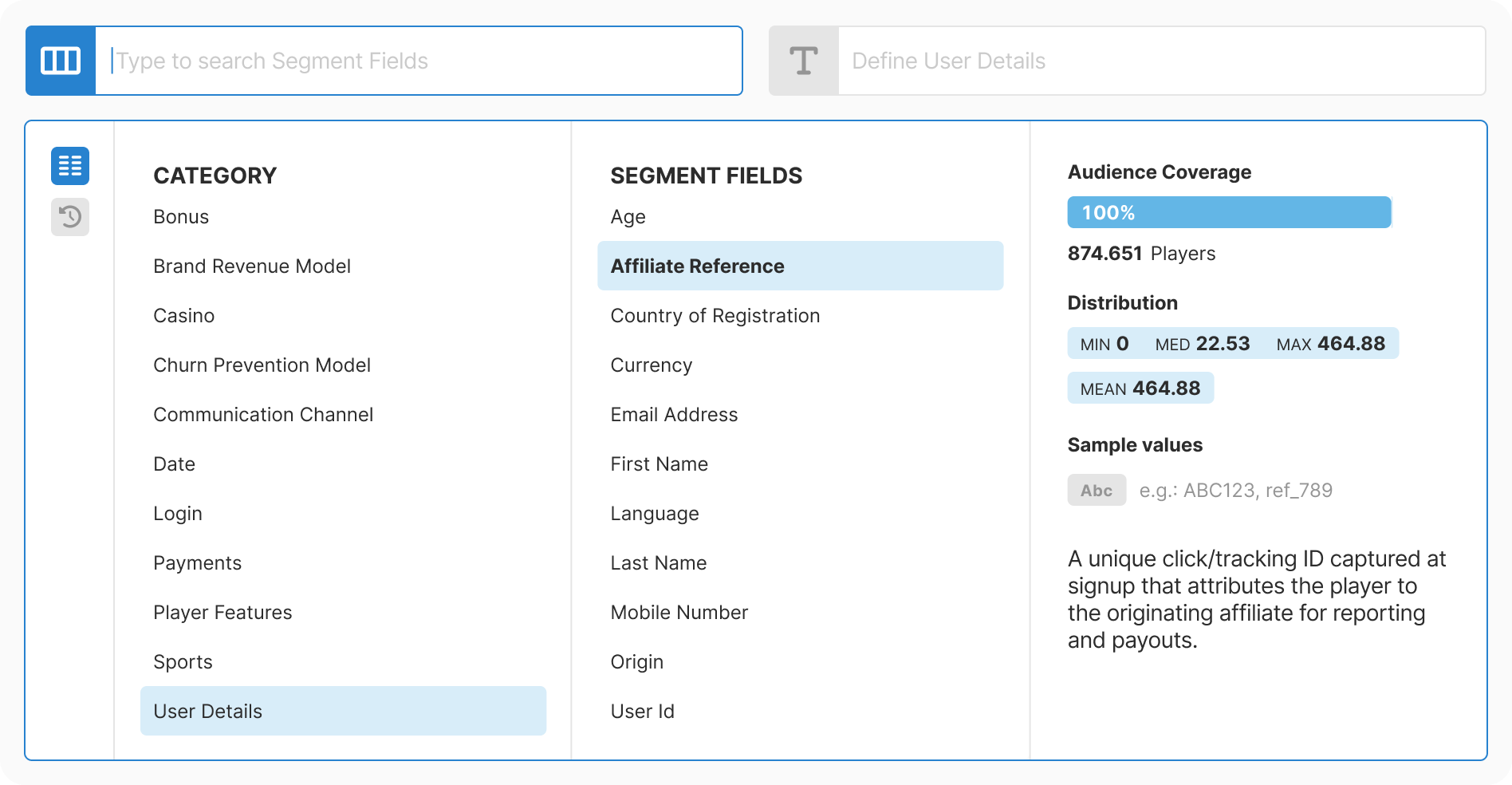
Decision: Show audience coverage, sample values, and data type hints as you select
Rationale: Users wanted to see the impact of their selection before committing. Without this context, they were second-guessing themselves and making errors that required rework.
Result: Reduced second-guessing and mis-selections. Users could validate their choice without completing the full flow.
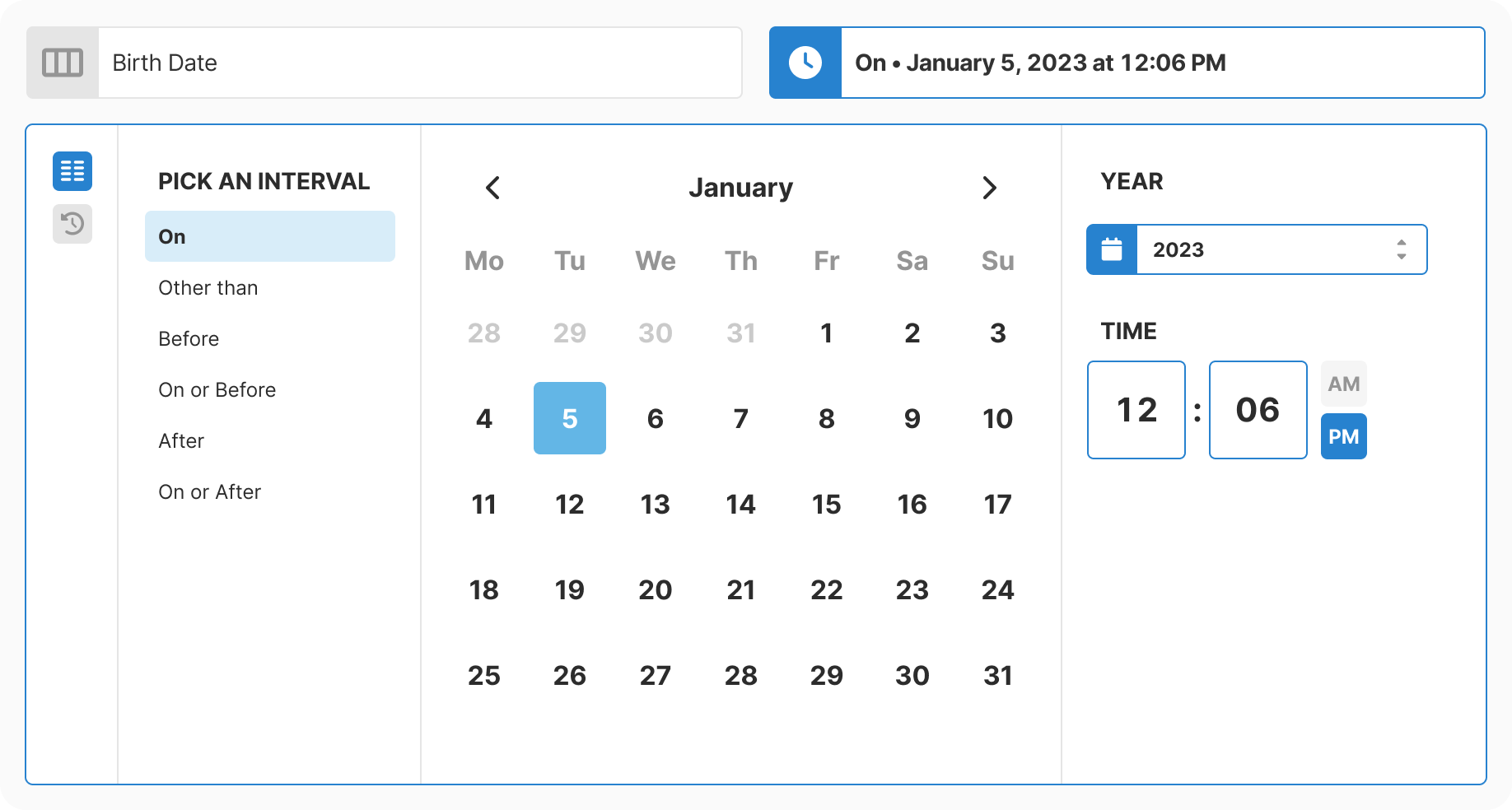
Decision: Calendar widgets for dates, validated number inputs, unit selectors. No arbitrary text entry.
Rationale: Free-text entry for dates caused format drift and out-of-range values that broke segments. Typed dates also triggered silent calendar corrections that confused users.
Result: Invalid selections dropped to near zero, and error handling became dramatically simpler.
Decision: Prioritize category browsing over search-first interface
Rationale: Most users did not know the exact field name they needed. Active discovery of adjacent fields led to better segmentation than going directly to a known field. Search is present but not primary.
Result: Users learned the data model while selecting, not just before.

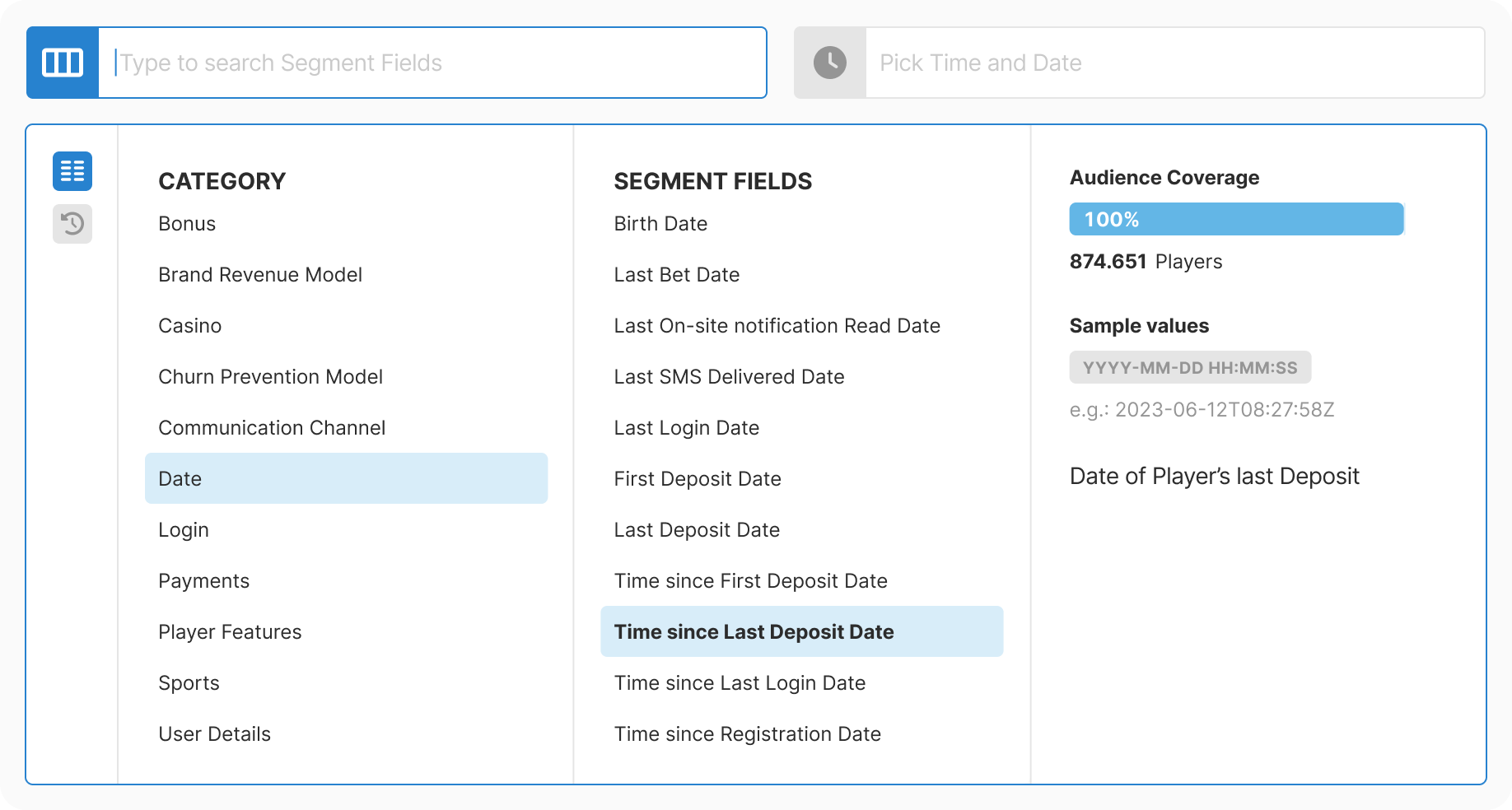
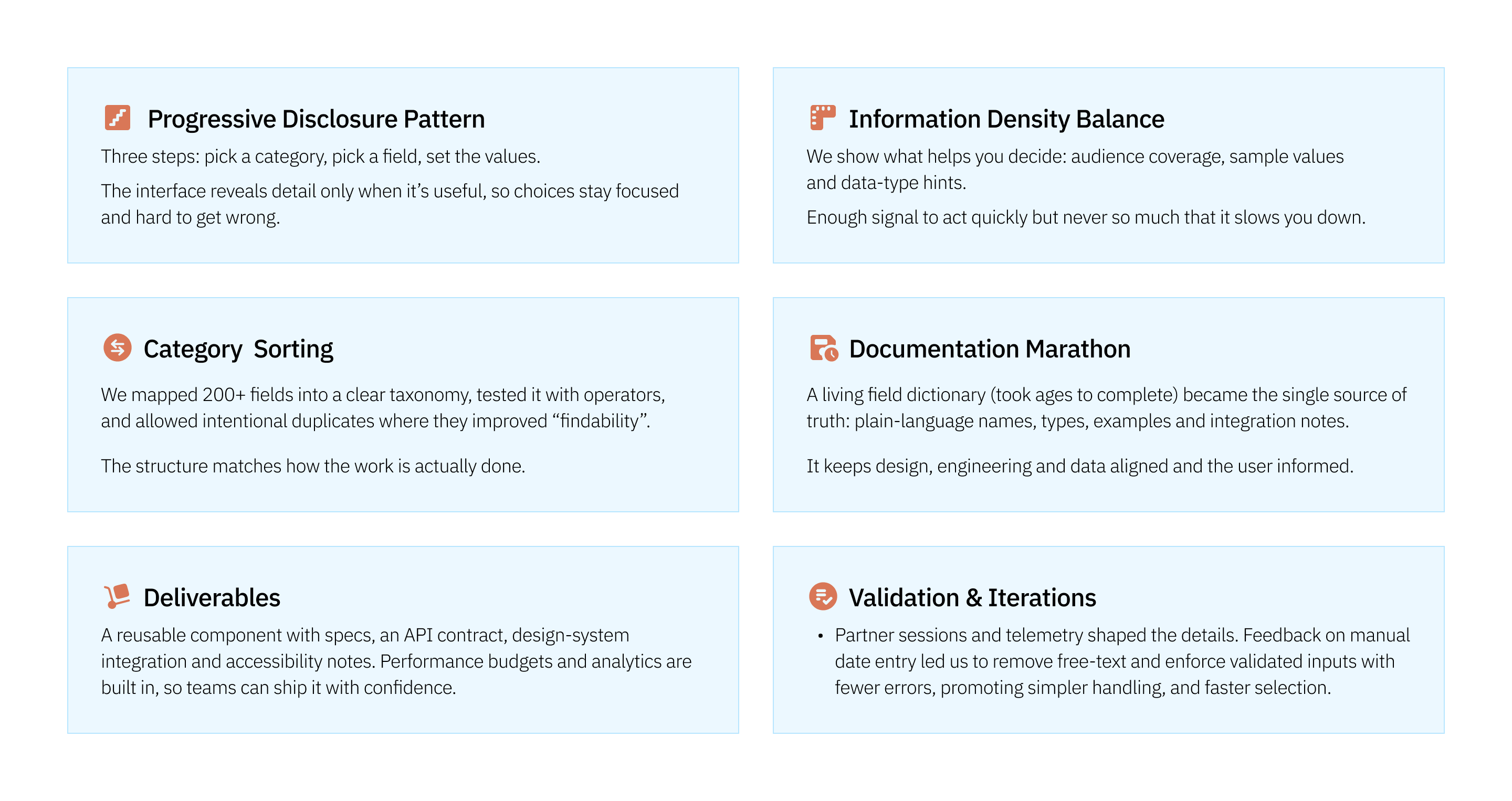
We mapped 200+ fields into 11 logical categories that match how operators actually work, not how the database is structured. Categories are named in operator language, and we allowed intentional duplicates where they improved findability. For example, Last Login Date appears in both Login and Date categories. This became a living document keeping design, engineering, and data aligned.
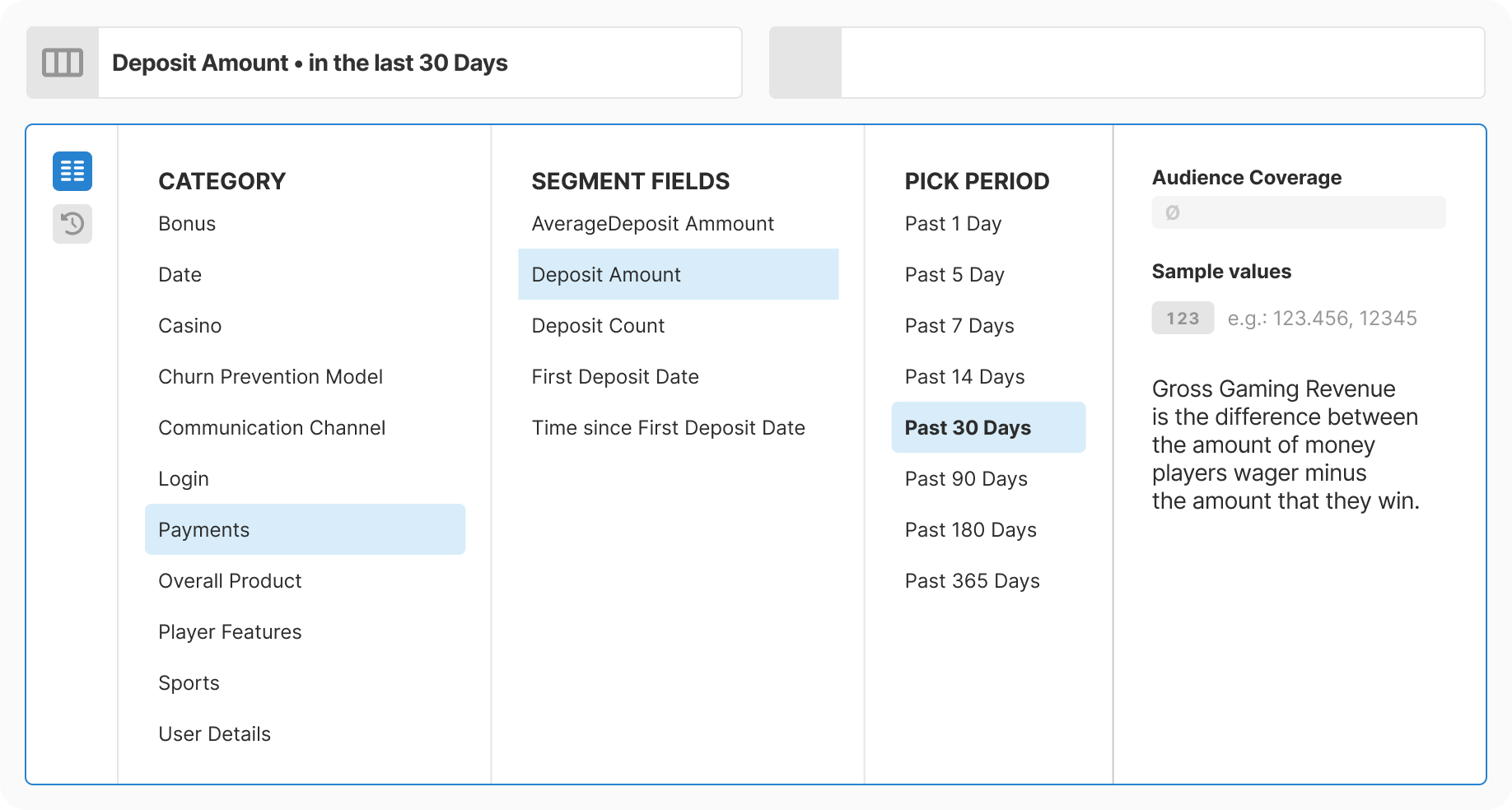
Each step exposes exactly the context needed: audience coverage showing how many players are affected, value distribution snapshots with min/median/max/mean, sample values showing what the data looks like, and explicit data type indicators. The balance is enough signal to act quickly, never so much it slows you down.
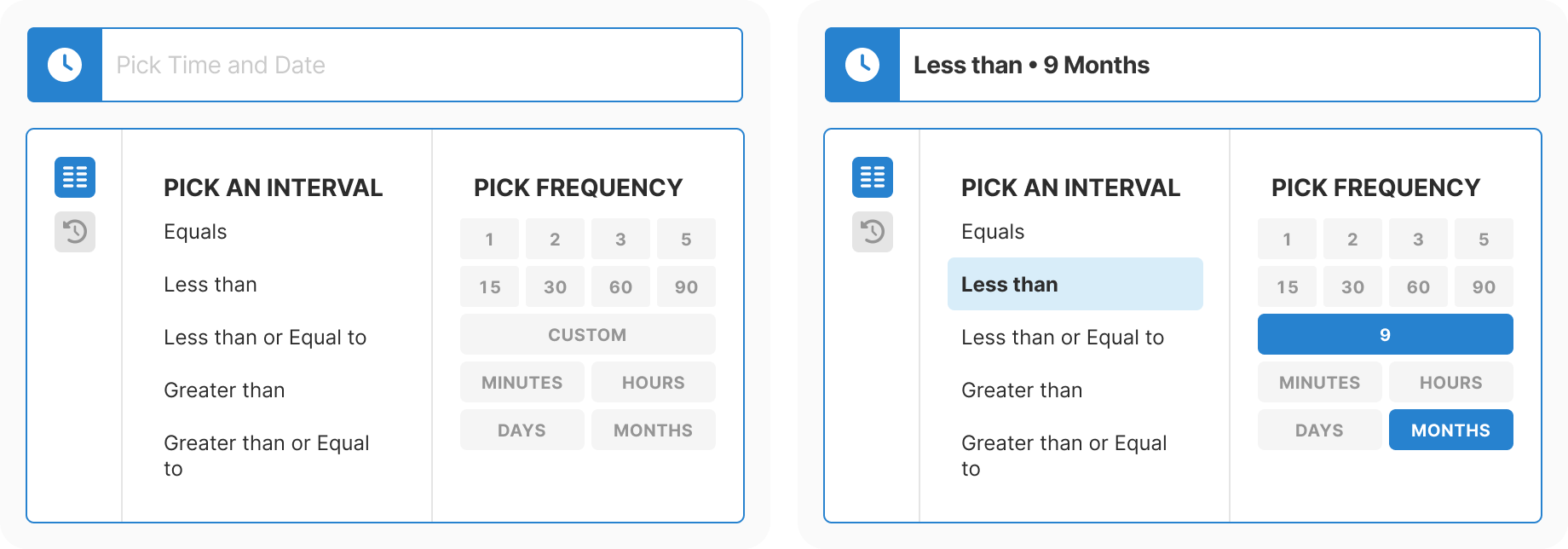
Each data type gets appropriate controls. Dates use absolute or relative pickers only, with free text disabled and a past date constraint. Time ranges use frequency shortcuts and validated numeric entry. Booleans are explicit switches, strings are searchable with samples, and integers surface stats and quantiles with bounds to steer sensible filters. Condition labels stay consistent across the entire product.
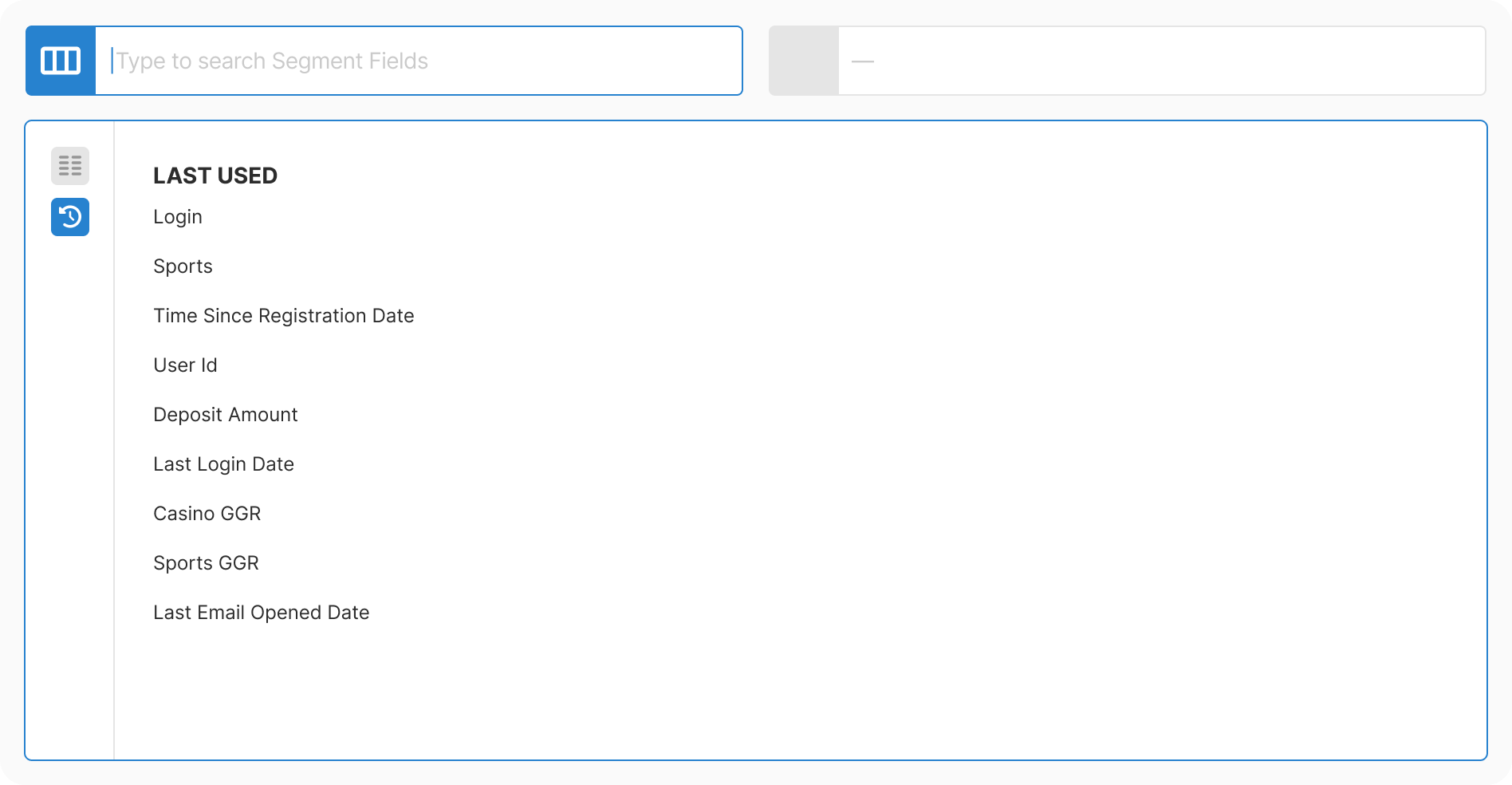
The empty state shows auto-saved suggestions from previously used configurations. Selecting a recently used option reveals its definition, sample values, data type, and live audience coverage immediately. This rewards repeat usage and reduces time for common workflows.
The most complex configurations, such as third-level fields with multiple parameters, maintain clear steps and always show a description of what is being configured. The compact representation updates automatically as selections are made, so users always know their current state.


Discovery: Gathered evidence from support tickets and partner complaints. Found that the legacy component had not been touched since early platform days and was creating compounding issues.
Research: Conducted card sorting with operators to understand mental models. Tested three approaches: search-first, browse-first, and hybrid. Browse-first won for this use case.
Taxonomy: Mapped 200+ fields into 11 logical categories. Combined database extraction with manual enrichment. Allowed intentional duplicates where findability improved.
Design: Created progressive three-step flow with real-time context at each decision point. Removed all free-text inputs. Added type-aware controls for each data type.
Development: Built as reusable component with strict type contracts. Optimized for performance with virtualization and caching. Integrated analytics from day one.
Rollout: Simultaneous release across all touchpoints to avoid UX drift. Published documentation immediately. Ran partner enablement sessions.
Validation: Monitored adoption and error telemetry in production. Zero critical incidents. Pattern adopted by other teams as reference standard.
Strategic Insight:
Infrastructure improvements compound. One taxonomy, one component, one source of truth; this consistency drove reuse across every team that touched data selection. The pattern set a higher bar for how we handle complexity. Performance should be felt, not seen. Documentation is leverage, not overhead.