Exotica Radio
#Music2017–Present
An independent internet radio station streaming my personal music collection 24/7. Built to share music on my own terms, now played worldwide. Ranks #1 on Google despite breaking every SEO convention.
Legal workflow automation built for Philippine law firms that actually need it
AI-powered practice management for small Philippine law firms. Handles document generation, matter tracking, and client management. Built because my wife's lawyer colleagues were using ChatGPT for legal work with zero awareness of compliance risks. Started as a side project, now a working proof of concept.
Build legal automation that small Philippine firms can actually afford and trust.
My wife studied law. Over the years, conversations with her lawyer colleagues kept circling back to the same frustration: they wanted to adopt AI tools but had no idea where to start. Some were using ChatGPT, copying and pasting legal documents with zero awareness of compliance issues or data security. Others were just drowning in repetitive work. When a Canadian lawyer friend visited Barcelona and described the same problems, something clicked. I could build this. I had access to real users, real feedback, and the technical skills. Two months in, I have a working proof of concept and access to real users for feedback when it's ready.
Small law firms in the Philippines run on Word documents, Excel spreadsheets, and manual processes. The lawyers I spoke with juggle client management, document drafting, deadline tracking, and billing with no integrated system. Enterprise legal software exists but costs thousands of dollars per month and is built for US firms with different workflows and legal standards. Generic AI tools like ChatGPT are free and powerful, but lawyers paste sensitive client information into public interfaces with no encryption, no audit trails, and no understanding of the compliance risks. The gap is not features; it's trust, affordability, and local context.
Claude Sonnet 4 made this possible. Previous models either hallucinated legal citations or produced generic corporate language. Sonnet 4 can maintain Philippine jurisdiction awareness, understand local legal terminology, and generate documents that sound like they came from an actual lawyer. Combine that with a purpose-built interface, proper security, and local pricing, and suddenly small firms have access to tools that were only realistic for enterprise before.
Solo practitioners and firms with 2 to 5 lawyers. Provincial practices and Metro Manila firms both need this, but for slightly different reasons. Provincial lawyers have fewer resources and need affordability. Metro Manila firms face higher competition and need efficiency. Both groups are tech-curious but cautious. They will adopt if it works reliably and does not feel like gambling with client data.
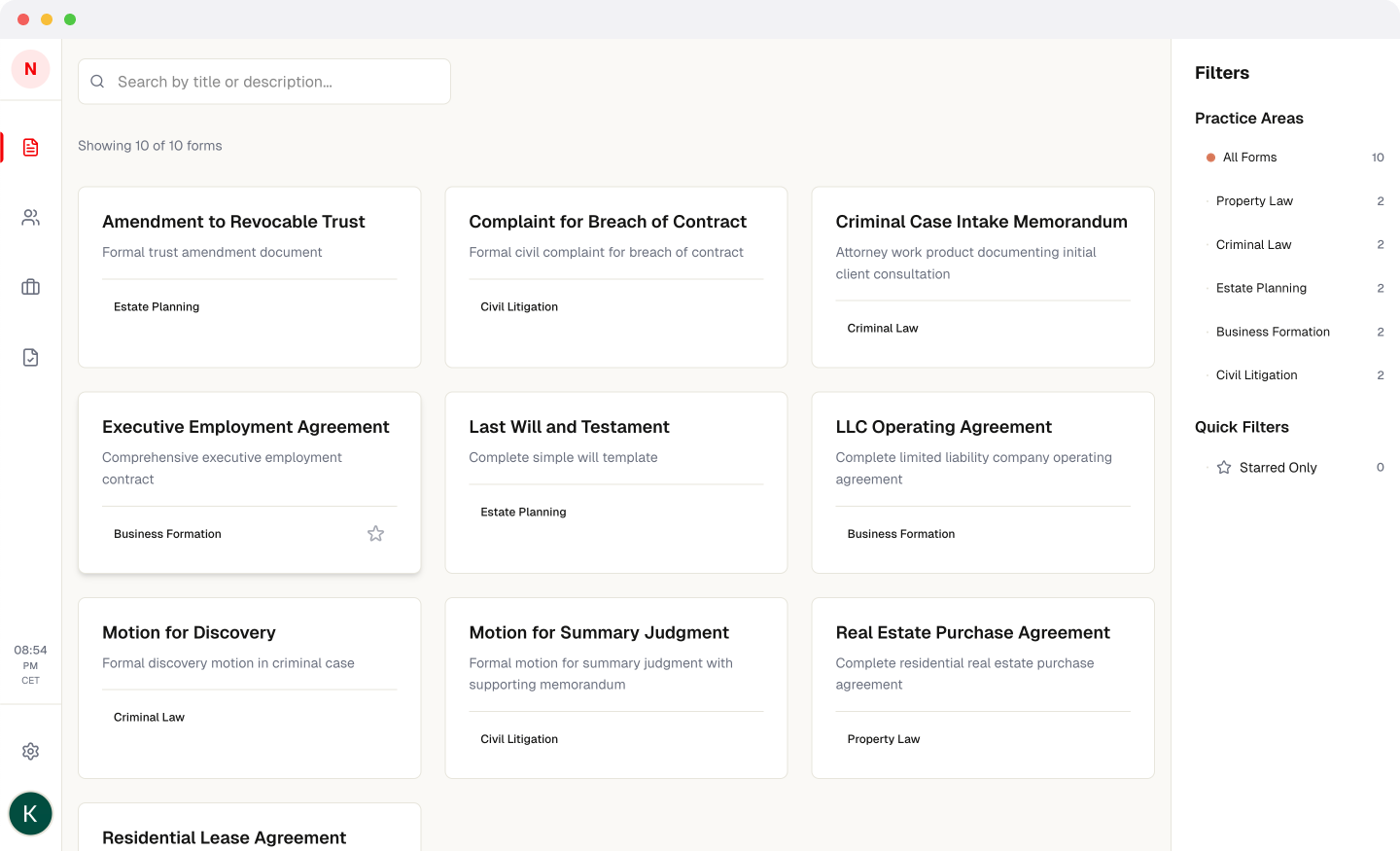
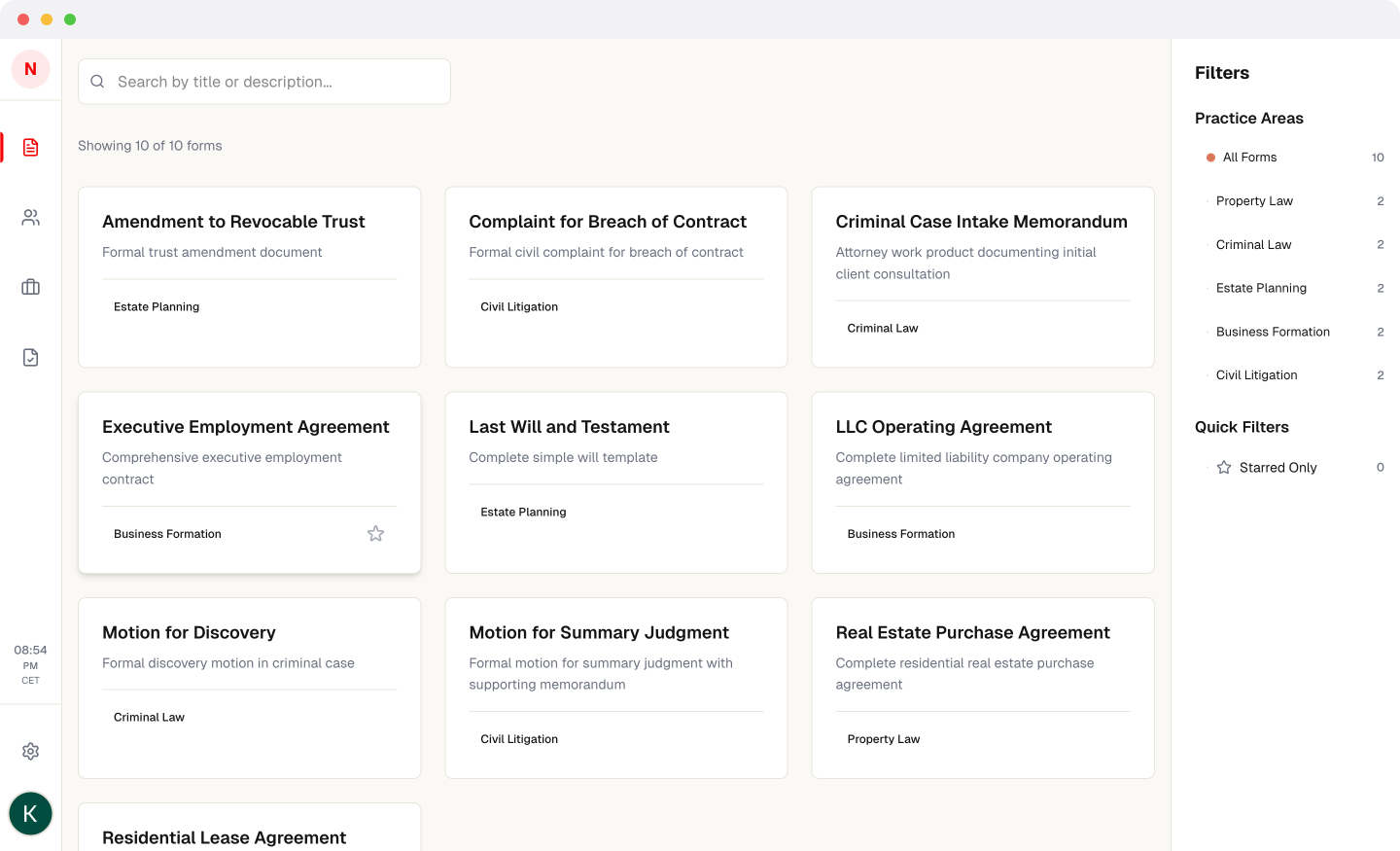
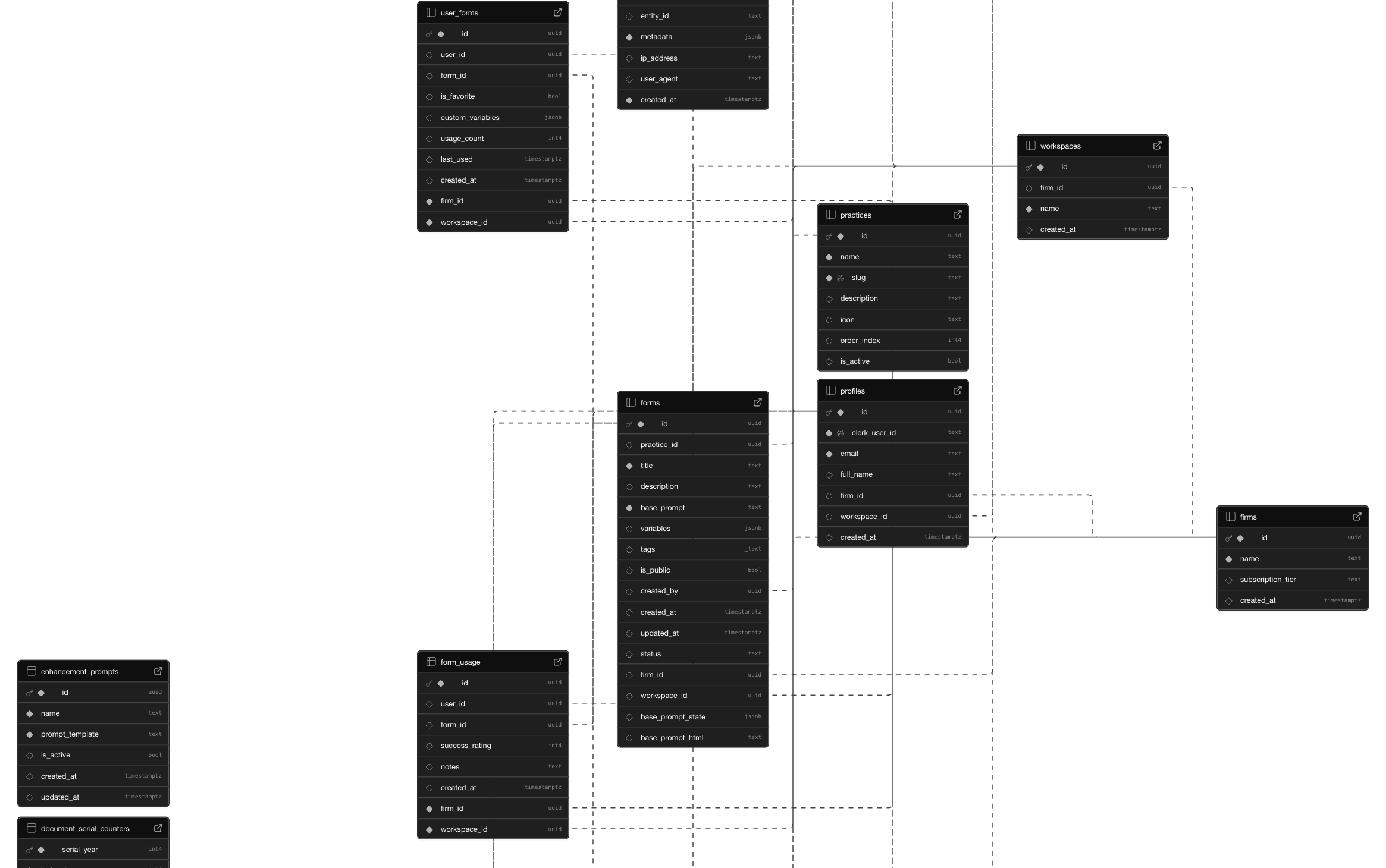
I ran interviews with 5 lawyers to map out their actual workflows. Not what they wished they had, but what they do every single day. Document generation came up in every conversation. Demand letters, contracts, motions, discovery requests. Repetitive but not automatable with simple templates because context matters. I built the prototype around a modular architecture: forms library, matter management, document generation, AI enhancement. Each module can work independently but connects when needed. Claude and Cursor handled most of the code. I focused on design decisions, testing flows, and making sure the AI outputs felt professional enough for real legal work.
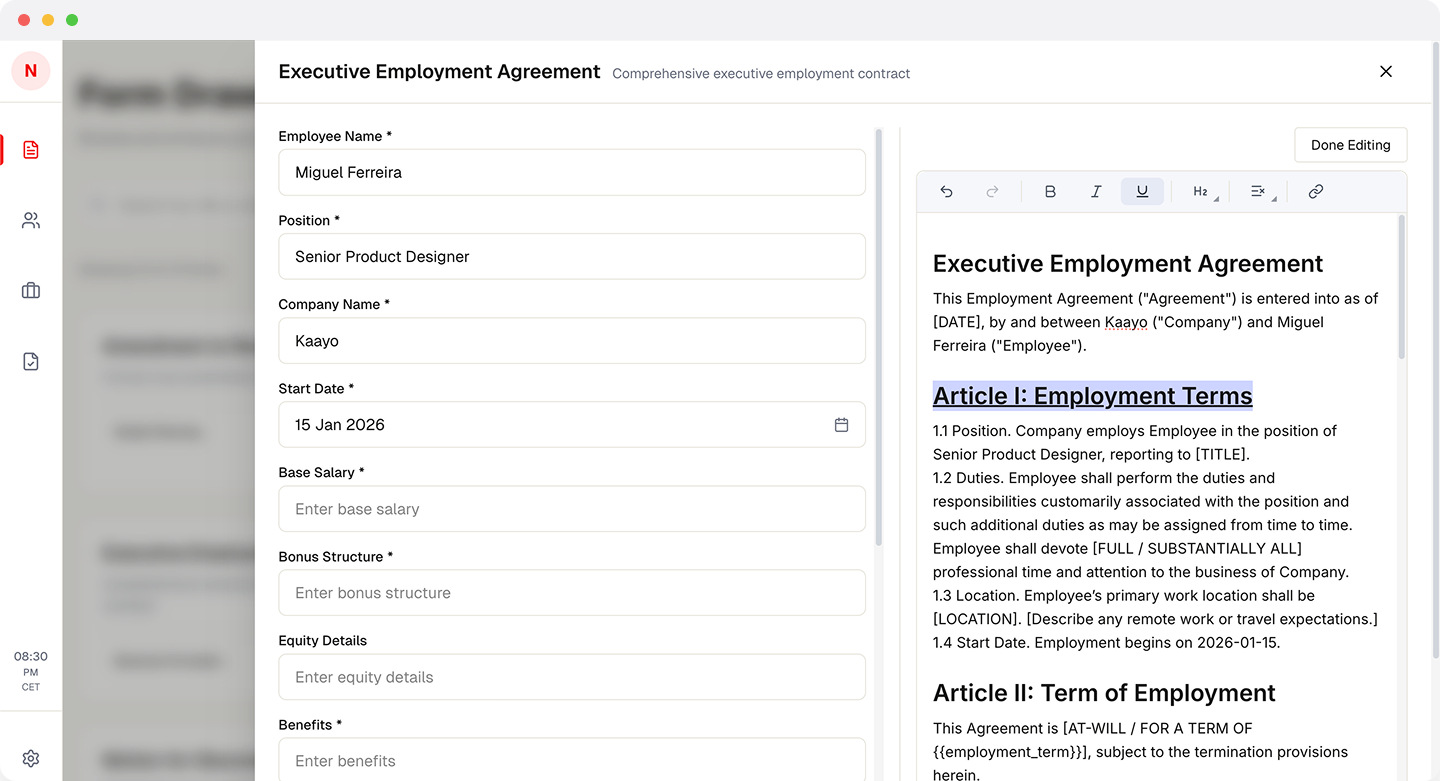
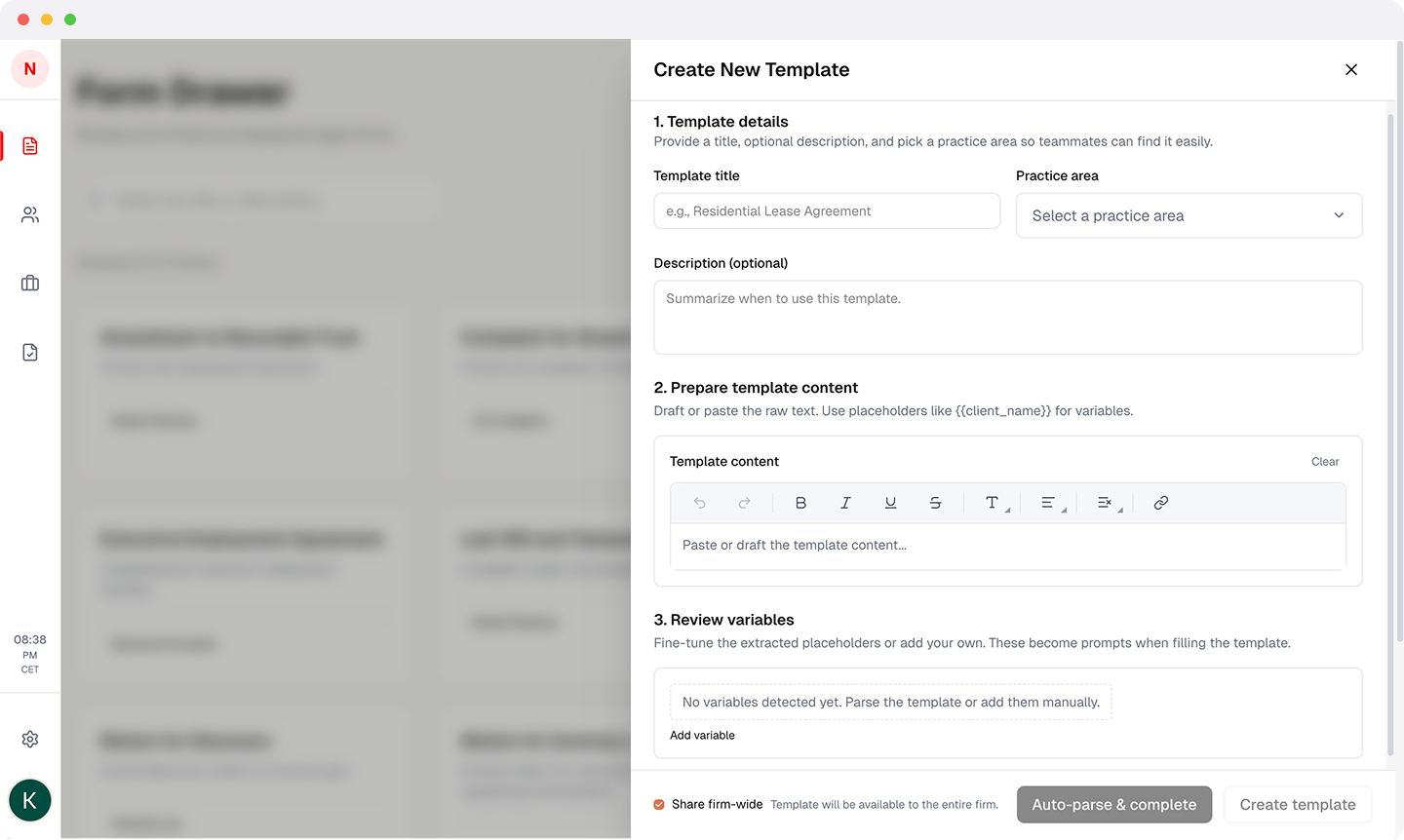
Template system with variable substitution and AI enhancement. Users start with a base form, fill in client details and case context, then trigger Claude to refine language, add legal reasoning, and format properly. Not just mail merge. The AI understands what type of document it is handling and adapts tone and structure accordingly. Common documents: demand letters, lease agreements, complaints, affidavits.
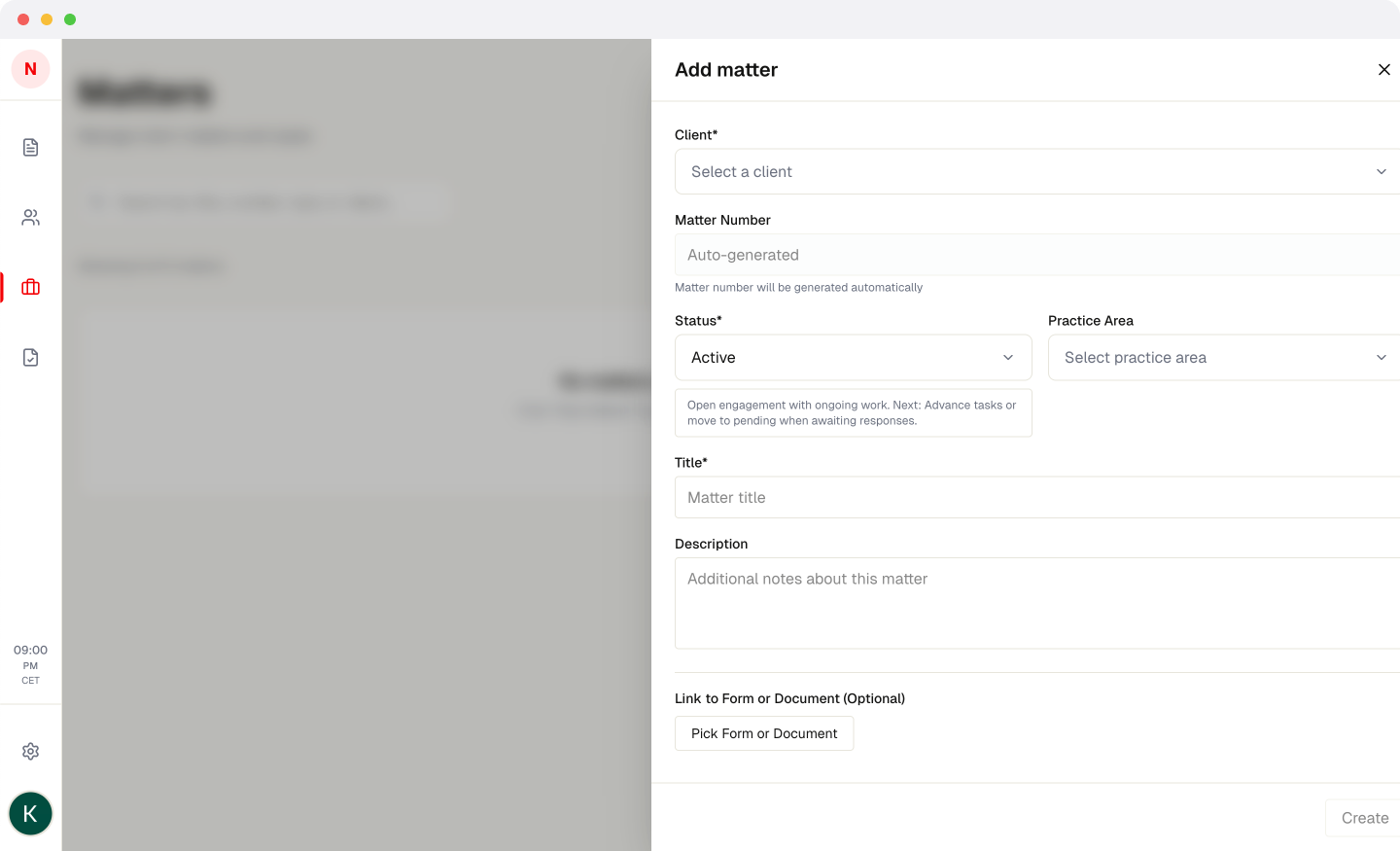
Cases are organized as "matters" with associated clients, documents, and saved variables. If you represent a client in multiple cases, their information carries across. Variables like jurisdiction, property addresses, and opposing counsel get stored per matter so you are not retyping the same details in every document. Simple, but this alone saves hours per week.
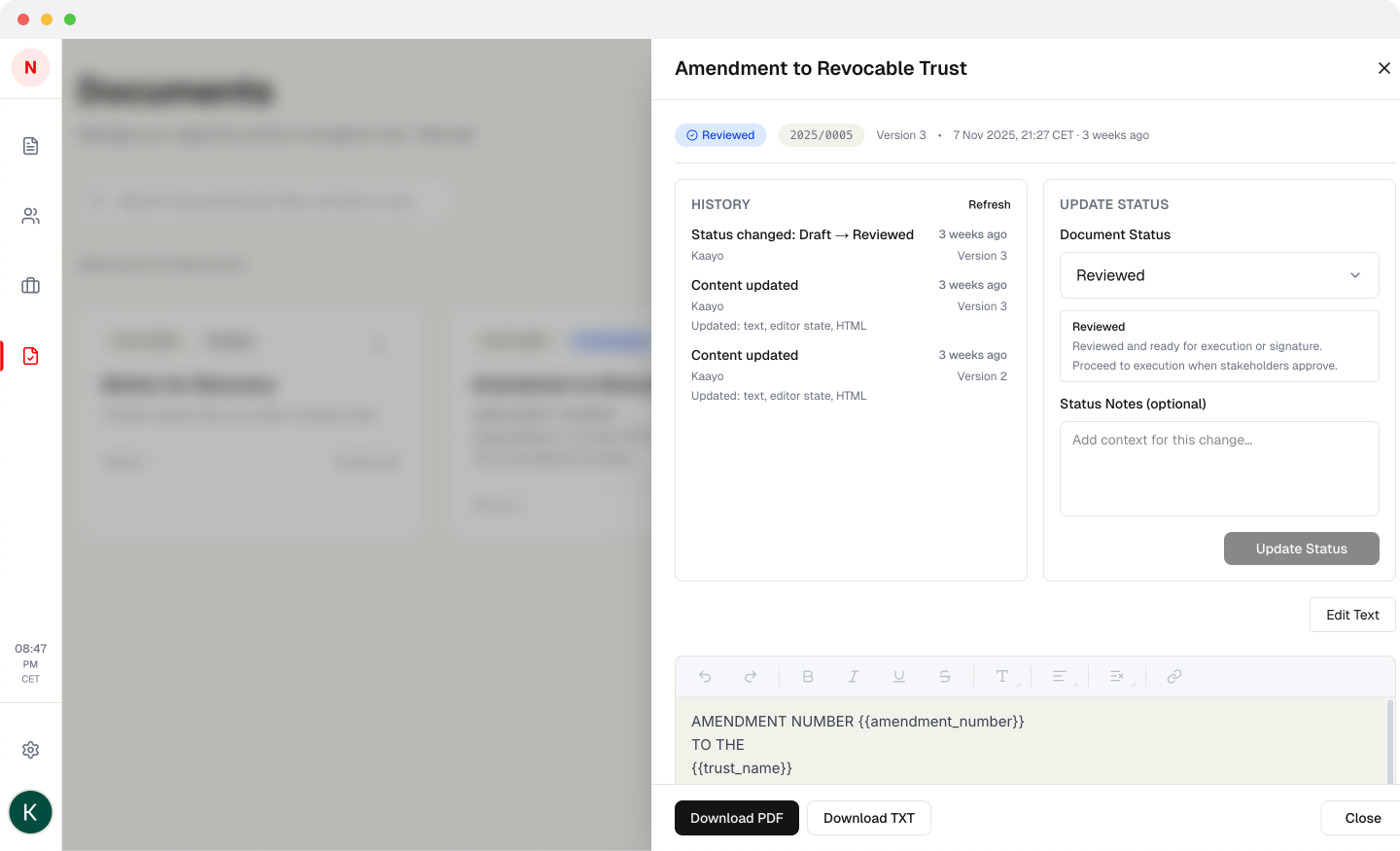
Documents move through states: draft, reviewed, executed, filed. Each document gets a serial number for reference. Version control tracks changes. Not revolutionary, but small firms often lose track of which version was actually sent to the court. This prevents that.
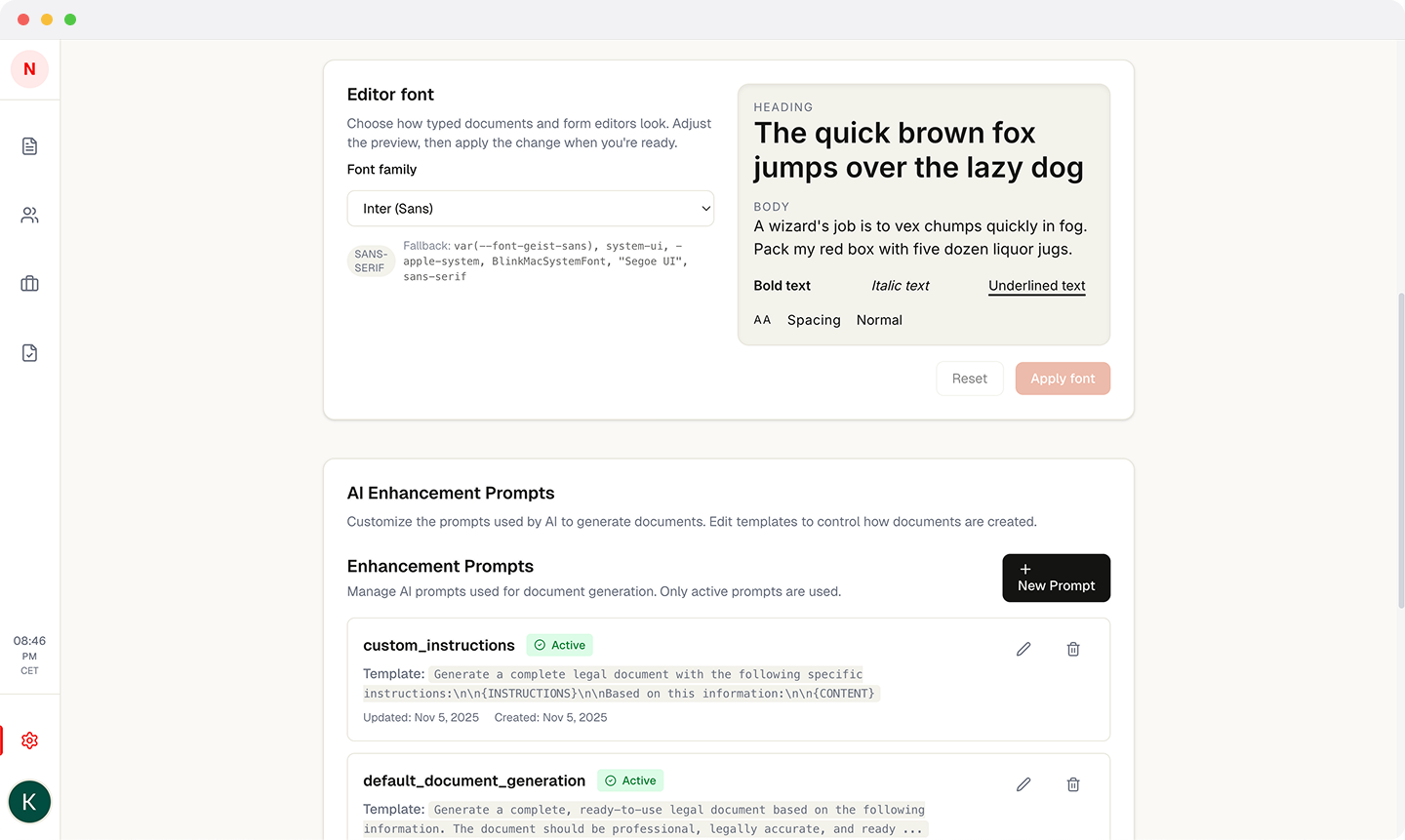
Tried multiple solutions before landing on one that handles Philippine legal formatting requirements: proper indentation, numbered paragraphs, signature blocks, and font flexibility so documents print correctly. Legal documents have strict formatting standards. Generic rich text editors break those standards constantly.
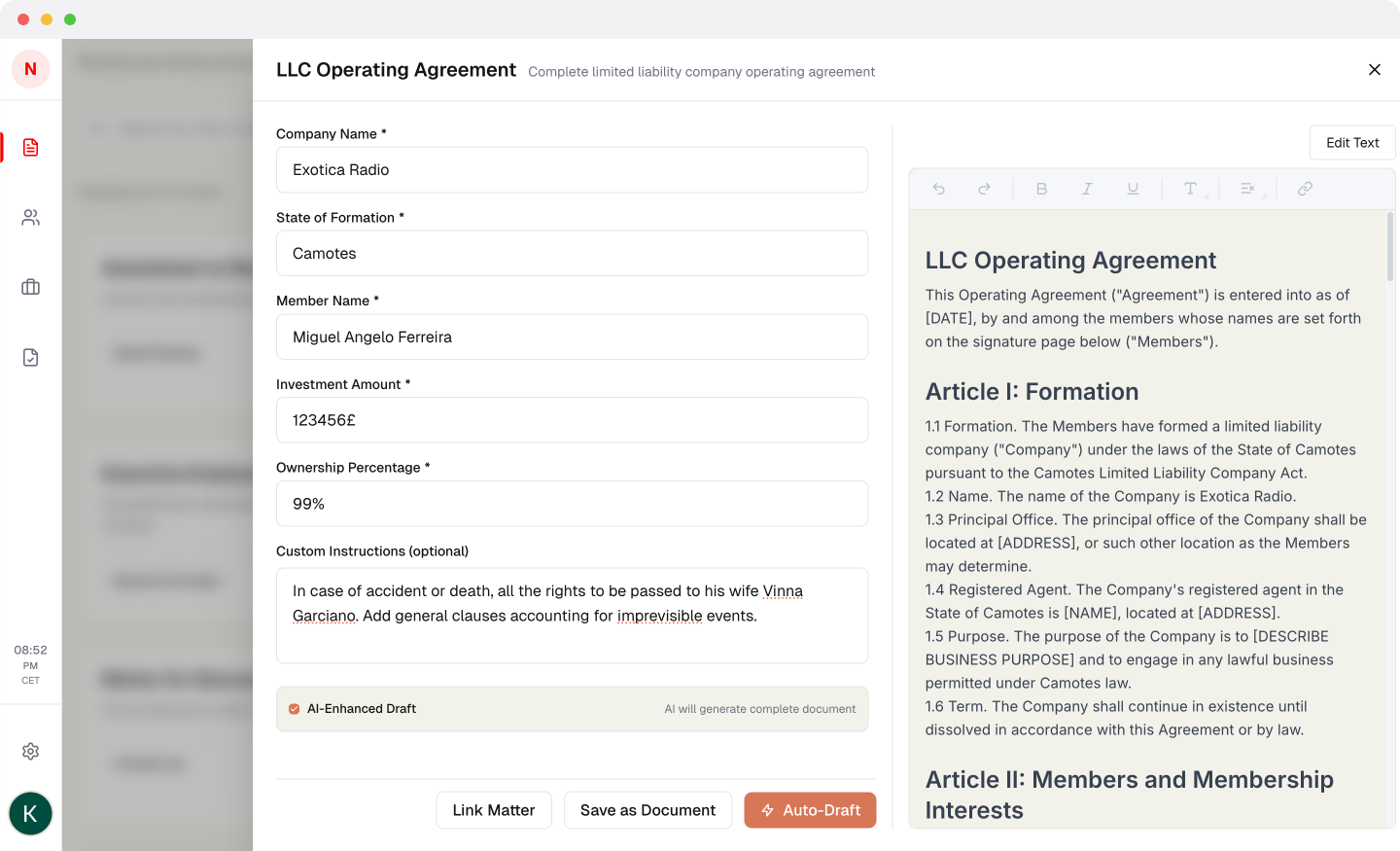
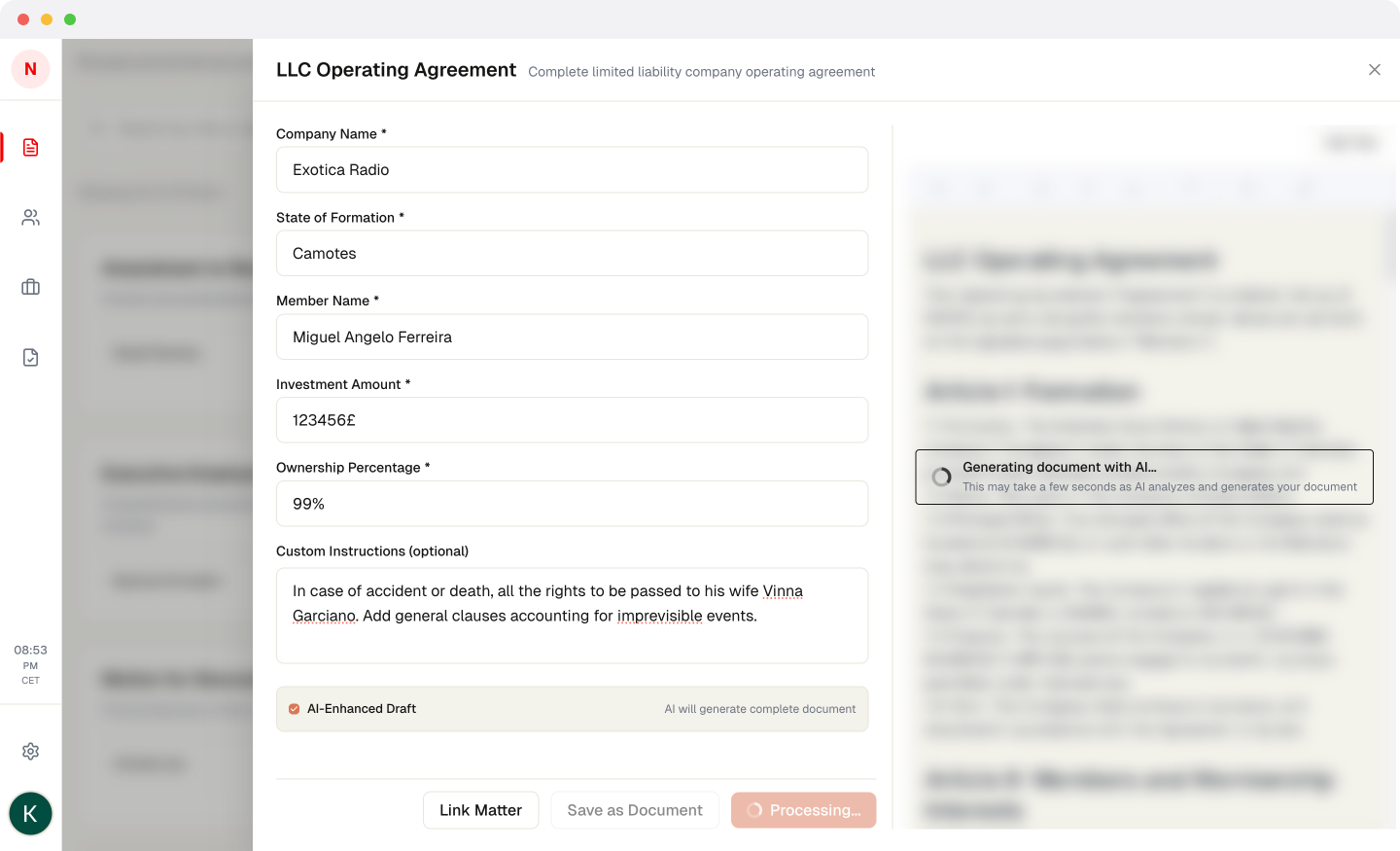
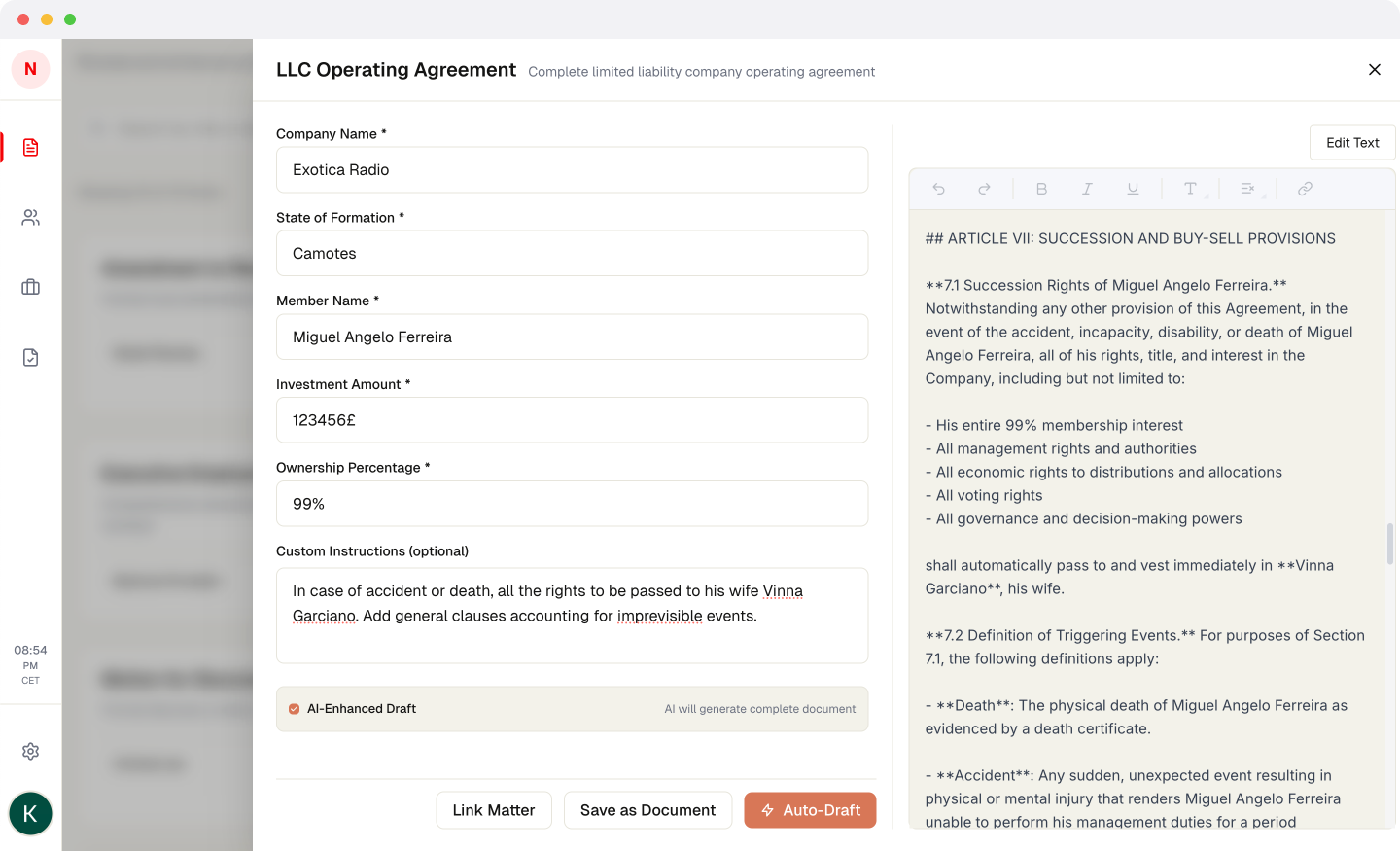
The text editor was brutal. Legal documents require specific formatting: numbered paragraphs, proper indentation, signature blocks positioned exactly right, font consistency for printing. Generic rich text editors failed these requirements constantly. I tried three solutions before finding one that worked. Added font flexibility so documents render and print impeccably regardless of system. Not glamorous work, but it is the difference between a prototype and something lawyers will actually trust with client documents.
Working proof of concept that generates professional documents matching Philippine legal standards. The AI enhancement produces output that feels like it came from an experienced lawyer, not a template engine. Still building and testing before showing it to law firms. Legal work has zero tolerance for errors, so I am taking the validation phase seriously.
Building for a specific market with local context is a competitive advantage, not a limitation. Generic legal software ignores the Philippines. That creates opportunity. The lawyers I spoke with deserve tools built for them, not patchy Western software adapted poorly. That sentiment drove every design decision. Also, AI quality is downstream of implementation quality. The same Claude API that produces generic summaries can generate professional legal documents if you design the prompts and context correctly.